Run your shop, not just the chair
My Shop by MBX is the web app for shop and salon owners: rent out chairs on signed booth agreements, run the floor with walk-ins and a queue, bring your client list in, and keep rent, payslips and payouts in one place.
A web app — nothing to download. Available in USD, INR and CAD. New shops are reviewed by MBX before they can trade.
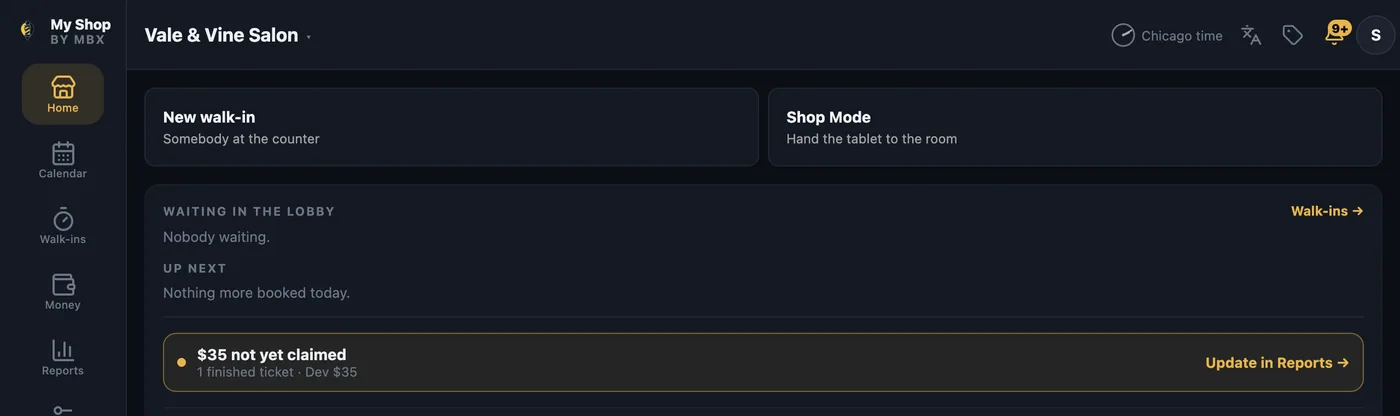
Rent the chair, on terms you both signed
Set the rent, and the barber accepts it in the MBX Barber app. Either of you can download the signed agreement as a PDF. Later, change the rent or the shop fee on a notice period instead of a brand-new signature.
- The barber keeps what they earn — they rent the chair.
- A shop fee on each service, inside the client's price, goes toward the chair's rent (the amount is reviewed and approved by MBX per shop).
- MBX isn't a party to your agreement — rent and splits are between you and your barber.
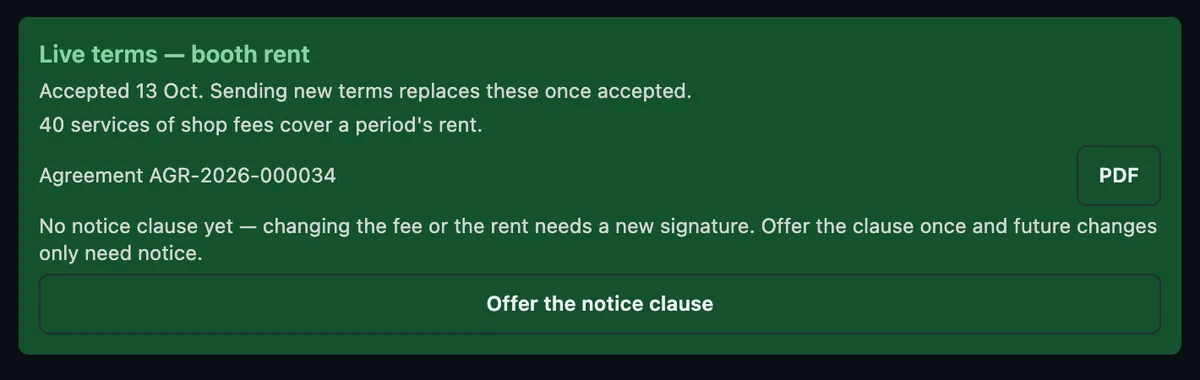
Your client list, moved over in minutes
Import from a CSV or Excel sheet, or a contacts export from your phone. You see every row and exactly what it will do before anything is saved — and clients already on MBX are never duplicated.
- A preview of every row before anything is created.
- Rows missing a name or number are flagged, never guessed at.
- Nothing is sent to your clients during import.
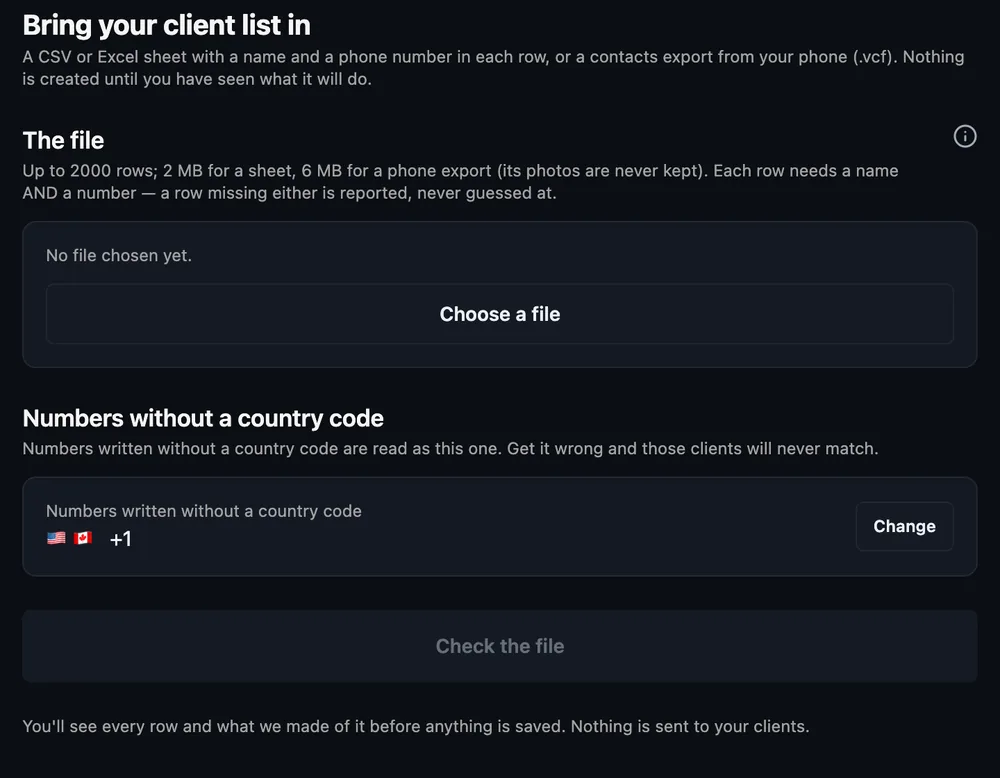
Everything the front desk needs
One place for the floor, the schedule, the team and the money.
Run the floor
Walk-ins, a live queue, and who's serving, free or away — hand the tablet to the room with Shop Mode.
The day by chair
A calendar across every chair, an up-next lobby, and a daily close so nothing is left open.
Money in one place
A ledger, statements and payslips per barber, rent invoices, reports and payouts.
Your team & front desk
Invite a barber by phone, set their chair, and give front-desk staff their own login so cash is attributed to who took it.
Frequently asked questions
What does My Shop by MBX cost to run?
There's no per-chair or per-seat charge to run your shop on MBX — bring your whole team. You set your own booth-rent terms with your barbers, and MBX never takes a cut of a barber's pay.
Is it an app I have to download?
No. My Shop by MBX is a web app at shop.mybarberexpo.com — open it in any browser, nothing to install. It's available in USD, INR and CAD.
How do I add my barbers and front desk?
Invite a barber by phone number and assign their chair. Front-desk staff get their own login, so cash is attributed to whoever actually took it.
Can I handle booth rent and payouts in one place?
Yes — a ledger and statements per barber, rent invoices, payslips, reports and payouts all live together, alongside the floor and the schedule.
How do I get started?
Create your shop, set up your chairs, and invite your barbers at shop.mybarberexpo.com. New shops are reviewed by MBX before they go live.
Open your shop on MBX
Create your shop, set up your chairs, and invite your barbers. New shops are reviewed by MBX before they go live.
It's a web app at shop.mybarberexpo.com — nothing to download. Available in USD, INR and CAD.